
If the RTU has support for batching, Profile will download all the batch data from the device.
1. Navigate to the station
See the ‘Viewing a Station’ section for more details.
2. Click the ‘Batches’ tab in the Navigation Bar 1
This will show a list of all batches:

3. Filter the list as required: 2
- Use the ‘Date’ controls to filter by Day, Week, Month or a Date Range
- Toggle between filtering ‘By Station’ or ‘By Meter Run’
- Enter a meter ID in the ‘Meter ID’ box
- Tick the ‘Product’ checkboxes to only show specified product types
4. Double click on a batch in the list to open it
The batch data will be displayed:
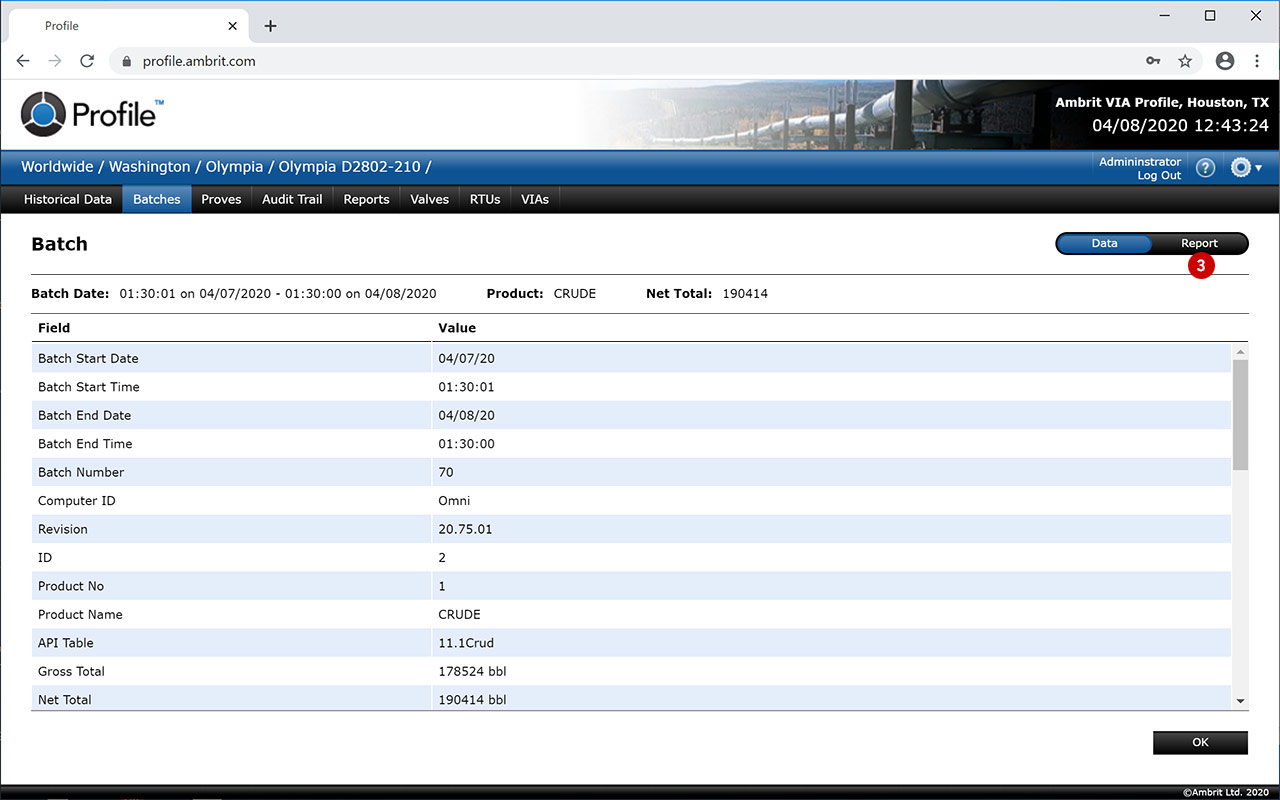
5. Click the ‘Report’ tab to view the batch report 3

6. Click the ‘OK’ button 4
This will close the batch and return to the Batches list.